Small Automations, Big Calm: Simple Recipes That Save Your Day

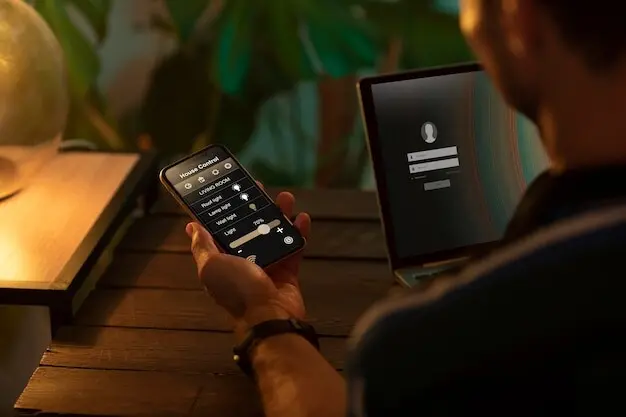
Today we dive into Beginner-Friendly Automation Recipes for Everyday Life, turning tiny, repeatable moments into helpful, hands-off wins. Expect gentle guidance, relatable stories, and step‑by‑step ideas that use tools you already have. From phones to smart speakers, we’ll reduce friction, reclaim minutes, and add a little everyday magic.

Start Here: What Automation Really Means at Home

Identify Repetitive Moments

Start by noticing what you repeat every day—checking weather, muting notifications, logging expenses, turning on hallway lights. Write three candidates, then rank by annoyance and frequency. The top item becomes your first recipe, small enough to succeed and large enough to feel rewarding.

Choose Your First Tool

Pick something free and friendly: iOS Shortcuts, Google Home Routines, Alexa Routines, or IFTTT. Each can listen for time, location, or voice and then run actions. Start simple, like reading headlines aloud or saving received photos straight into a designated album automatically.

Set a Friendly Fallback

Keep a manual button, widget, or phrase that performs the same action when conditions change. Power failures, updates, or guests happen. By planning a graceful fallback, you stay in charge, keep trust high, and avoid frustration while still enjoying hands‑free convenience most days.

Wake-Up Lights and Weather Whisper

Use sunrise‑simulating bulbs to brighten slowly thirty minutes before your alarm, then have a speaker share today’s temperature, precipitation chances, and transit status. If it is raining, queue a reminder to pack an umbrella, adjust departure time, and silence lawn sprinklers automatically until skies clear.

Coffee, Calendar, and Commute Snapshot

When motion is detected in the kitchen, start the coffee maker, display a concise calendar view on a tablet, and announce expected traffic. If the route looks slow, propose a bike or train option, and send a friendly text advising teammates about a slightly later arrival.

Tame the Newsletter Flood

Automatically label newsletters, route them to a Read Later folder, and create a digest that lands once daily. If a sender goes unopened for two weeks, star an unsubscribe suggestion. Protect VIP contacts by pinning their mail to the top and triggering gentle notifications only.

Voice to Notes, Notes to Tasks

When you say a chosen phrase, capture a timestamped note, tag it with context like errands or ideas, and sync it across devices. If the note includes action verbs, automatically draft a to‑do with a due date, then share it to your preferred task manager.

Deadlines That Nudge, Not Nag

Pair your calendar with reminders that escalate gently: a quiet morning badge, a subtle afternoon vibration, then an evening voice prompt if still incomplete. When you mark it done, automatically log the completion to a wins journal, reinforcing progress without dramatic fanfare or shame.

Inbox, Notes, and To‑Dos on Autopilot

Information overload blurs priorities. With a few smart rules, you can separate newsletters from people, turn voice thoughts into written notes, and convert important messages into scheduled tasks. The goal is calmer focus, faster retrieval, and fewer guilt‑ridden flags you never open again.

Smart Home Safety and Peace of Mind

Convenience matters, yet safety matters more. We’ll combine simple sensors with clear notifications so everyone stays informed without panic. Systems should fail gracefully, allow manual overrides, and respect privacy. These practical safeguards keep your home welcoming while quietly watching for leaks, intrusion, and forgotten appliances.

Leave Home, Lights Act Lived‑In

When your phone leaves a geofenced area, run a pattern that turns select lights on and off at realistic intervals, lowers blinds at dusk, and pauses smart speakers. If a window opens unexpectedly, escalate from notification to neighbor call, depending on time and prior confirmations.

Water Leak and Power Alerts

Place inexpensive leak sensors near sinks, water heaters, and laundry. If moisture appears or power fails, shut off smart valves, stop the washer, and send a high‑priority alert. Include a quick action button to notify a trusted contact and document photos for insurance later.

Guest Mode That Welcomes Kindly

Create a temporary profile that simplifies controls, offers Wi‑Fi details on request, and relaxes strict security automations during visiting hours. Provide a voice tip sheet, an on‑wall QR for help, and a silent failsafe that re‑locks doors and resets schedules after checkout.

Money and Groceries Without Mental Overload

Household finances and food planning thrive on steady habits. Automations can capture receipts, categorize spending, track pantry levels, and surface sales without constant vigilance. By designing light, reversible workflows, you’ll dodge impulse buys, reduce waste, and feel calmer when the card swipe happens.

Fitness and Wellbeing Nudges You’ll Actually Keep

Health goals flourish when friction shrinks. We’ll build small cues that fit your rhythm: stretch timers, movement reminders, and sleep‑friendly lighting. Data synchronizes quietly across wearables and apps, while privacy stays respected. The emphasis is gentle consistency, celebrating progress exactly where you are today.

Build, Share, and Celebrate Your Wins

Automation shines brighter when ideas circulate. Share what worked, ask for help, and borrow recipes from neighbors, friends, and readers. Together we’ll swap pitfalls, upgrade steps, and keep momentum. Subscribe, comment, and send questions so we can tailor future guides to your real day.

Document Your Recipes Clearly

Write down trigger, action, and expected result in one sentence each, then add screenshots. Post them where others can reuse, and invite improvements. Clear documentation helps you troubleshoot later, and it gifts the community a shortcut around the same confusing corner.

Ask the Community, Learn Faster

When stuck, share your goal and the tools you prefer, rather than a rigid method. Readers often suggest simpler paths or privacy‑friendlier tricks. We respond to comments weekly, collect popular questions, and turn them into tutorials that respect your devices, budget, and attention.
Zentonilokentolentokarodari
Privacy Overview

This website uses cookies so that we can provide you with the best user experience possible. Cookie information is stored in your browser and performs functions such as recognising you when you return to our website and helping our team to understand which sections of the website you find most interesting and useful.